One-time license
USD 99One payment. One computer. No scheduled license expiry for the purchased document features. Defect fixes are included under the terms of service.
View one-time plan →Prepare commercial invoices, packing lists and supporting export documents in one desktop workspace. After activation, work without an internet connection and keep your drafts on this computer.
The desktop edition requires confirmed paid access. The online workspace currently has a separate limited-time free promotion.
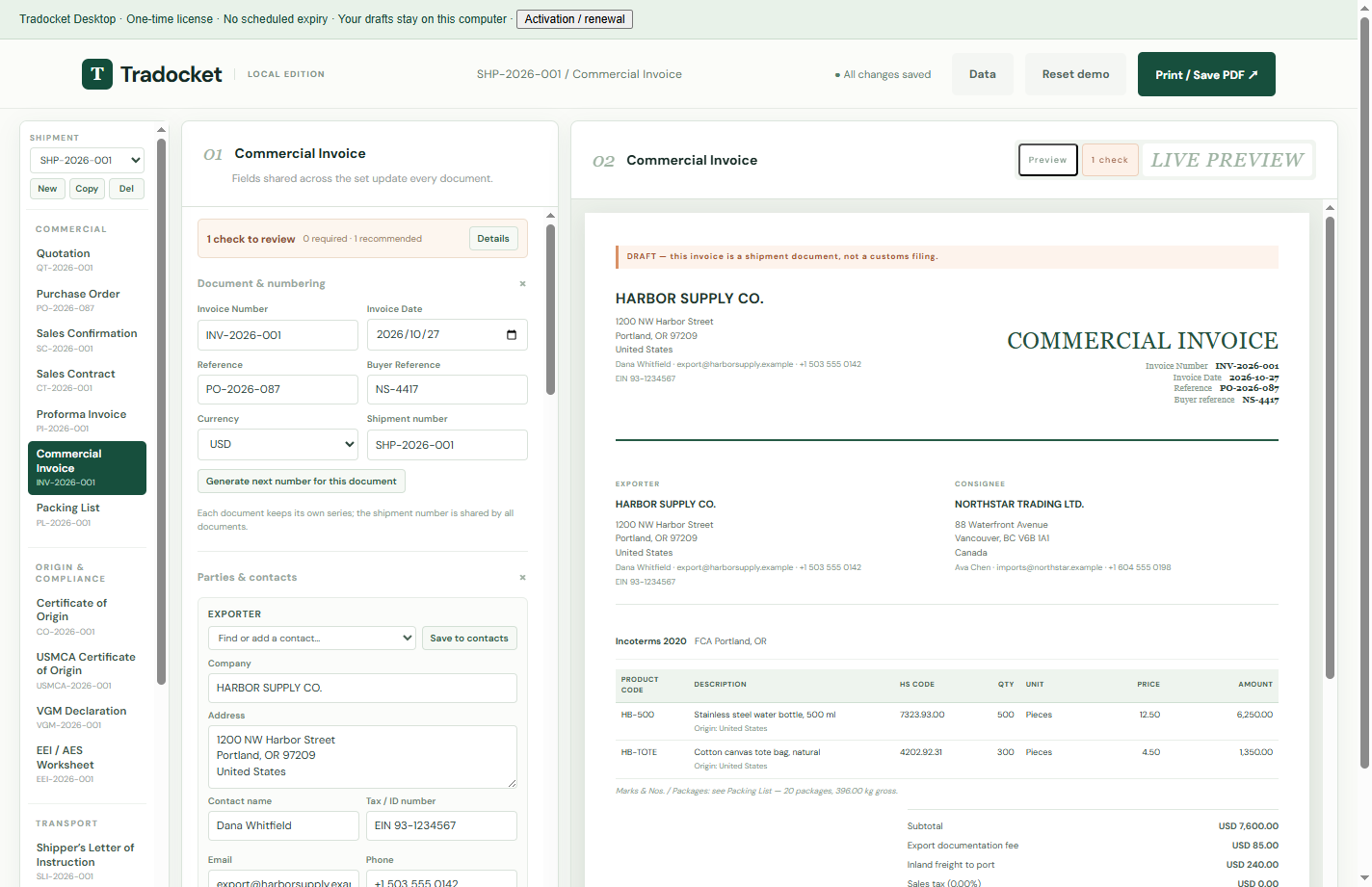
Start with a shipment, enter the exporter, buyer, goods and routing details, then switch between documents. Shared fields help keep the set consistent. Each document can have its own number and signature; the final details still need your review.
Use the commercial invoice guide for transaction values and HS-code fields, the packing list guide for packages, weights and dimensions, or the proforma invoice guide for a proposed transaction. The desktop app also includes a CBM calculator and CSV/Excel import.
These are U.S.-oriented preparation tools and supporting drafts. Tradocket does not file with customs, certify origin, determine USMCA eligibility or replace checks by the buyer, forwarder or relevant authority.
Once the complete Windows app is installed and activated, you can edit documents, import CSV/Excel files, add signatures, calculate carton volume, save JSON backups and export PDFs without internet. Print / Save PDF opens the app’s native file-save dialog.
Activate with the 16-character code supplied with your purchase. Monthly customers need to reconnect and enter the same activation code after renewal to update the local license. External reference links, support and website downloads also require a connection. A one-time license has no scheduled expiry.
The desktop edition stores drafts, contacts, saved text and signatures in its own local application profile under your Windows account. They are separate from Chrome, Edge and the online workspace. The app does not upload document contents or usage statistics.
Activation sends a hashed computer identifier to link one computer to the purchase. The raw Windows identifier and shipment contents are not sent by activation. Local draft storage is not encrypted by this app. Keep regular JSON backups; deleting the app profile or changing Windows accounts can make drafts unavailable.
To move existing work, choose Data → Export backup (.json) in the online workspace or previous browser edition, then Data → Import backup in the desktop app. Import replaces the destination workspace after confirmation, so back up its current data first. There is no automatic cloud sync. See the privacy policy for details.
| Feature | Online workspace | Windows desktop |
|---|---|---|
| Open the tool | In your browser | Desktop or Start menu shortcut; its own window |
| Internet | Needed to open the website and check access | Document editing and PDF export work offline after activation |
| Draft storage | Current browser profile | Desktop app’s local profile |
| Access | Limited-time unlimited free promotion | Paid license for one computer |
| PDF export | Browser print / Save as PDF | Native PDF file-save dialog |
| Move data | Manual JSON export and import; no automatic sync | |
One payment. One computer. No scheduled license expiry for the purchased document features. Defect fixes are included under the terms of service.
View one-time plan →Charged every month until cancelled. Offline use lasts through the confirmed paid period. After renewal, enter the same activation code again to update the local license.
View monthly plan →No manual Computer ID, license-file import, separate Node.js installation or command window is required. Existing active confirmed purchases include desktop access without a separate charge. The installer is not code-signed. Refund requests are covered by the refund policy.
This desktop package supports Windows 10/11 x64. It does not include macOS, Linux or phone builds. You can try the separate online workspace in a modern browser.
Each purchase activates one computer. Contact support@tradocket.com before moving the license. A copied installer does not provide activation on another device.
No. The installer contains the program. Drafts live in the application profile. Export a JSON backup to move your work or keep a separate recovery copy.
No. Website, previous browser-edition and desktop storage are separate. Export JSON from the source and import it into the desktop app after backing up the destination.
No. The online promotion and desktop license are separate. Desktop download and activation require a confirmed active purchase.
Review the plans, download the complete Windows installer and activate with your 16-character code.
Purchase order guideCertificate of origin guideInvoice vs. packing list